Home / Products / Oyster Bag Floats, Shafts & Fasteners

Product 08 / Components

Oyster bag
accessories.

Floats, shafts and fasteners must fit the bag and the way it is handled. Confirm dimensions, quantities, materials and attachment positions as part of the complete assembly.

Product overview

Components should be specified as a set.

Accessory requirements vary with the bag form and farm system. A clear inquiry identifies each component, its dimensions and position, the joining method and whether parts are supplied loose or fitted. Use a marked-up photo or assembly sketch to avoid mismatched interfaces.
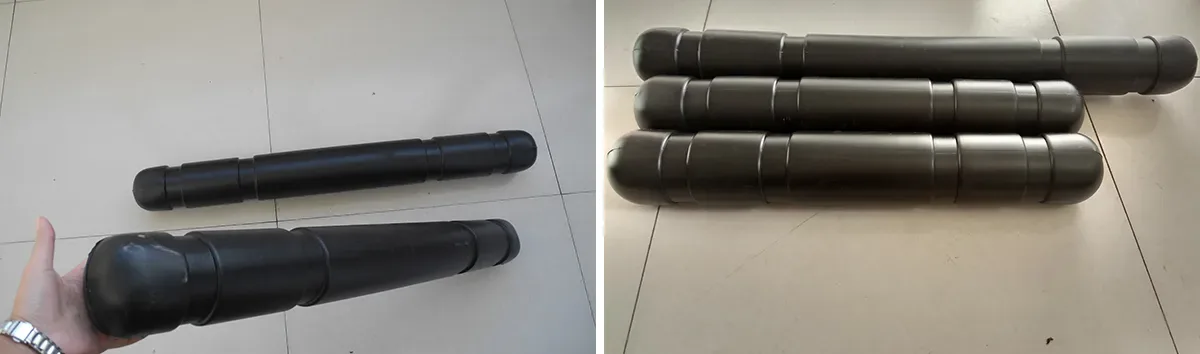
Black cylindrical float components for oyster bag systems
User-provided float-component photo; size, material and buoyancy are not inferred from the image.

Selection principle. A component image does not confirm material grade, buoyancy, compatible load or corrosion performance. Request the product specification and confirm fit on a sample.

What to specify

Send photos of the bag and connection points, component dimensions, farm-line details, order quantity and whether accessories should arrive preassembled.

Use the inquiry guide

PRODUCT DATA / SYSTEM COMPONENTS

Product data
& specification

Accessories need to match the bag and its farm interface. Confirm each part, dimensions, count and whether it should arrive assembled.

Black cylindrical float components for oyster bag systems
User-provided float-component photo; material, size and buoyancy are not inferred from the image.
ParameterWhat to defineUnit / evidence
ComponentFloat, shaft, support, clip, tie or other partName each item on the drawing
DimensionsLength, diameter, width, thickness or hole spacingmm; add tolerance
MaterialPolymer or metal grade and any required documentationSupplier declaration
Quantity & positionCount and location on each bag/cageAssembly sketch
InterfaceBag, line or support dimensions and connection methodSample / marked-up photo
Supply conditionLoose components or preassembled setState packing and assembly preference

Specification statusPhotographs identify appearance only. Confirm material, compatibility, dimensions, buoyancy or load data with the supplier for the actual offered component.

BUYER’S GUIDE

Show the connection—not only the part

Photograph the accessory beside the bag and at its attachment point. Add a ruler or measured drawing, identify quantities per assembly and show how the component is fitted or removed.

Read the related buyer guide

RFQ CHECKLIST

01
Identify parts

List float, shaft, fastener and other components separately.

02
Measure interfaces

Give bag opening, line size, hole spacing or shaft dimensions as applicable.

03
Set materials

State any marine-use or corrosion documentation required.

04
Confirm assembly

Specify whether parts ship loose, fitted or grouped per bag.

COMMON QUESTIONS

Are float dimensions standardized?

No. Confirm size and quantity for the complete loaded assembly and site conditions.

Can accessories be quoted without a bag?

Often the supplier will need the bag drawing or interface dimensions to check fit; confirm this with the quotation.

Does a component photo verify material?

No. Request a written material declaration and relevant specification for the offered part.

Continue exploring

Compare the
whole range.

Review related bag forms before settling on mesh and dimensions.

Browse products